What Is the Sky Falling AI Trend?
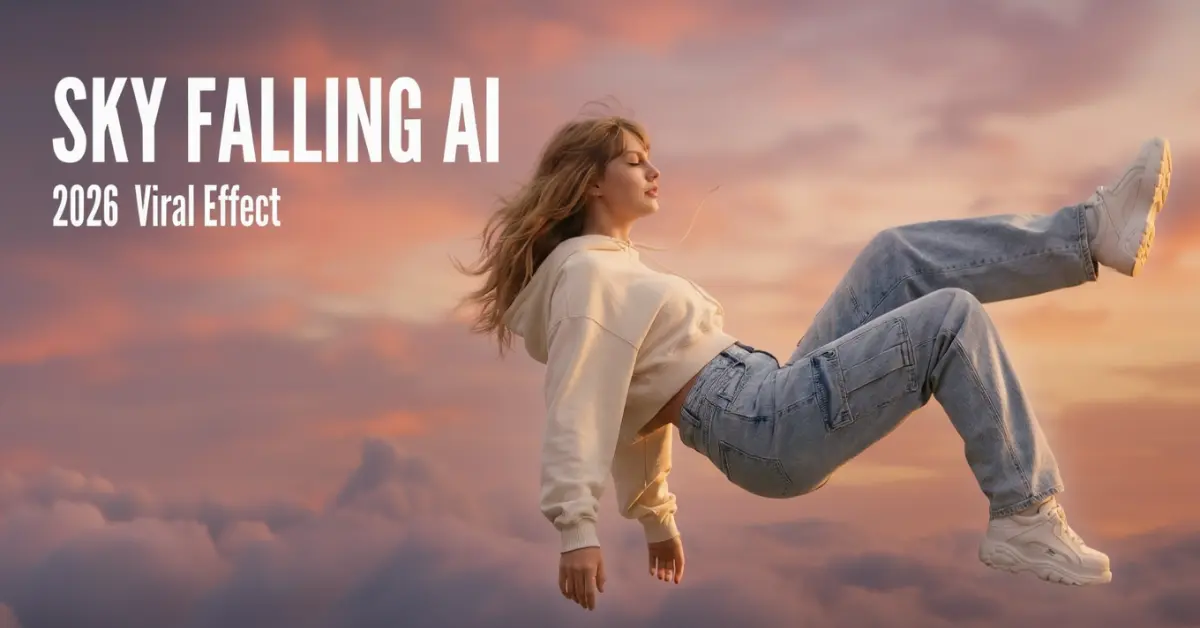
The Sky Falling AI trend is a viral video effect sweeping TikTok and Instagram Reels in early 2026. These cinematic clips show people appearing to fall through dreamy sunset clouds before freezing mid-air in slow motion. The effect has been used for outfit reveals, couple videos, and creative brand content, amassing millions of views.
Why This Effect Works
The visual appeal comes from three elements: the dramatic height perspective (showing someone tiny against vast clouds), the smooth falling motion through pink and golden skies, and the cinematic freeze-frame moment. This combination creates shareable content that stops scrollers in their tracks.=
How to Create Sky Falling AI Videos
What You Need
- A clear photo of yourself (full body works best)
- An AI image generator (Nano Banana Pro recommended)
- An AI video animator (Kling O1 or Veo 3.1)
Step 1: Generate the Cloud Falling Images
Create multiple images using an AI image-to-image tool for a complete cinematic sequence:
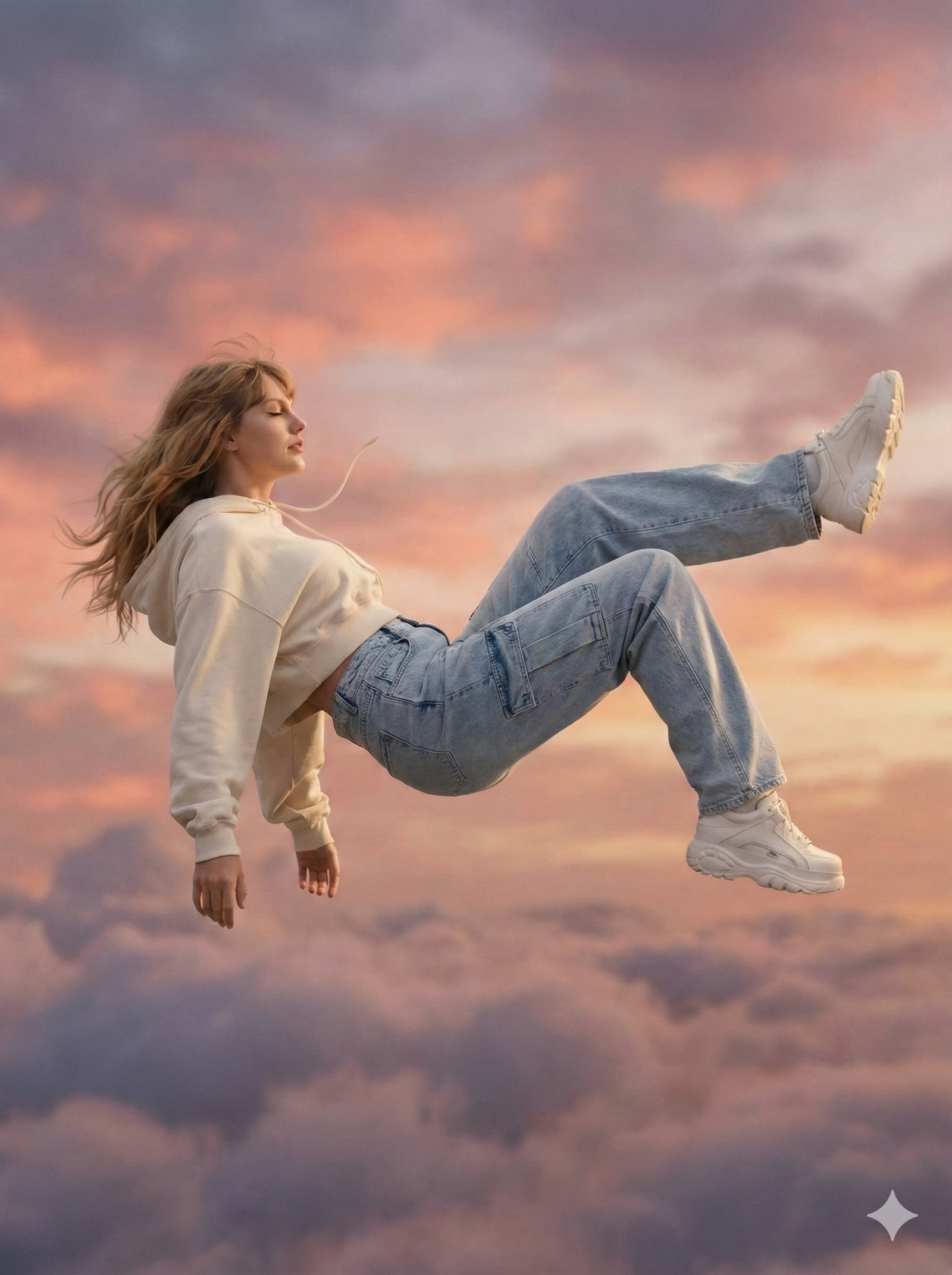
Main Floating Shot (Prompt 1): This is your hero image showing you horizontally floating high in the sky.
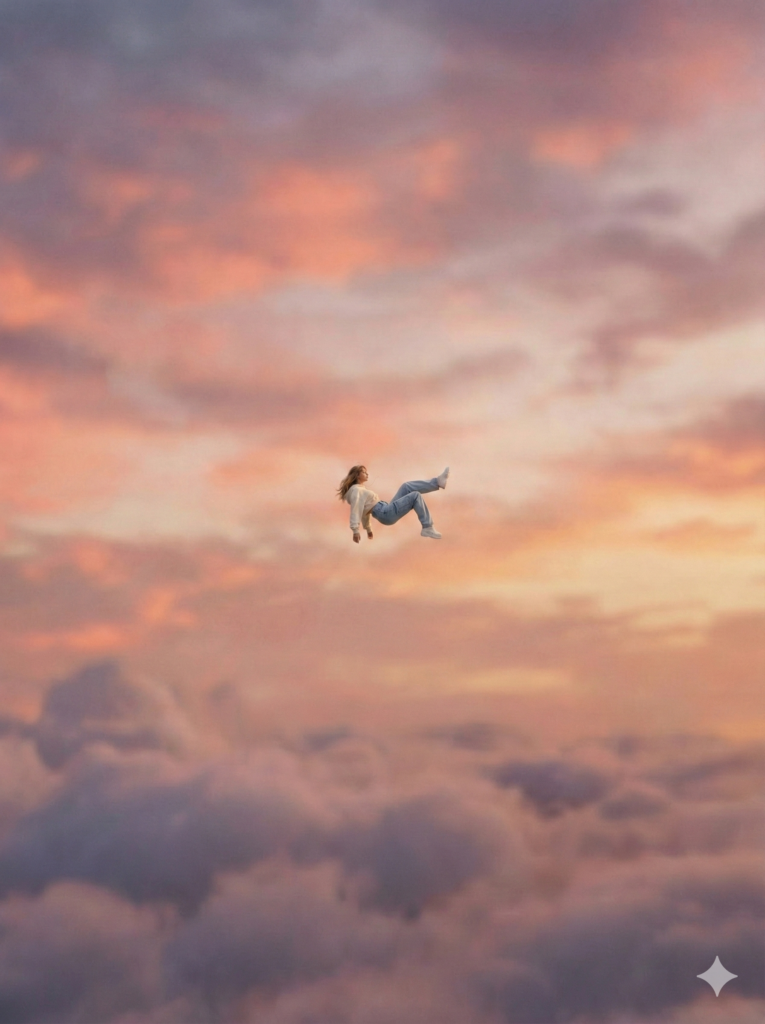
Wide Establishing Shot (Prompt 2): Shows you extremely small and high in the sky, viewed from below.
Detail Shots (Prompts 3-5): Close-ups of shoes, face, and creative elements that add storytelling depth.
Step 2: Animate the Sequence
Upload both images to an AI video generator that supports start and end frames:
- Set the wide shot as your starting frame
- Set the close-up as your ending frame
- The AI generates the transition, creating the falling motion and zoom effect
Generation typically takes 1-5 minutes depending on the model and video length.
Complete Image Prompt Guide
To recreate the viral Sky Falling effect with maximum impact, use this 5-prompt sequence. Each prompt builds on the previous one to create a professional, multi-angle video story.
Prompt 1: Main Floating Shot (Hero Image)
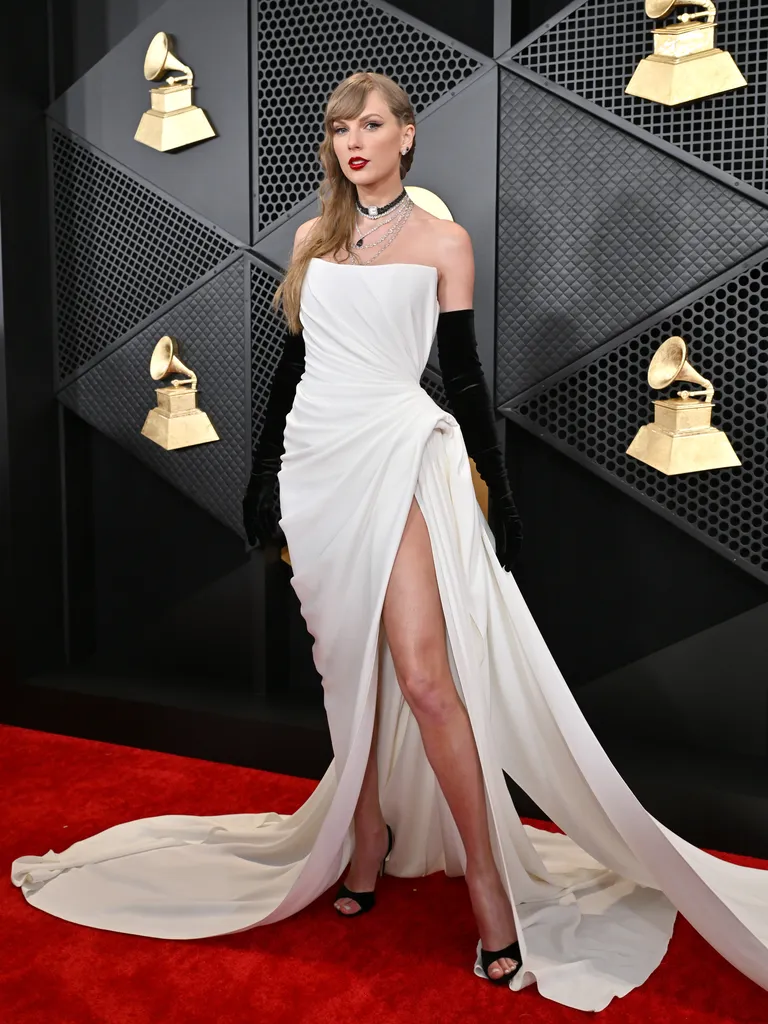
Upload: Your original full-body photo
Prompt:
A realistic woman generated from Photo 1, placed extremely high in the sky during a soft pink-orange sunset. She is in a horizontal position, falling backwards in slow motion, creating a floating, falling effect. Her face is calm and peaceful, eyes relaxed, no fear, serene expression. Her hair flows naturally in the wind. Outfit is modern Gen-Z style: oversized hoodie or cropped jacket, high-waisted baggy jeans or cargo pants, trendy sneakers or platform shoes. Camera is at human eye level, full-body visible in frame. Cinematic movie-shot composition, shallow depth of field, slightly blurred background. Soft wind movement in clothes and hair. Beautiful cinematic color grading with warm pink, orange, and purple sunset tones. Ultra-realistic, high detail, dramatic yet peaceful mood, 4K cinematic look.
Purpose: This is your foundation image showing the complete floating scene with perfect lighting and composition.
Result Example:
Prompt 2: Wide Establishing Shot (High in Sky)
Upload: The image generated from Prompt 1 as reference
Prompt:
Take a picture from below as this woman is very high in the sky, very small, slightly visible because she is far away. The camera is looking up, the sky has the same color. The angle is from bottom to top. The person has her back toward us, and we are looking up at the sky as in photo 2.
Purpose: Creates the dramatic “tiny person high above” perspective that makes viewers feel the height and scale.
Result Example:
Prompt 3: Shoe Detail Shot
Upload: The image generated from Prompt 1 as reference
Prompt:
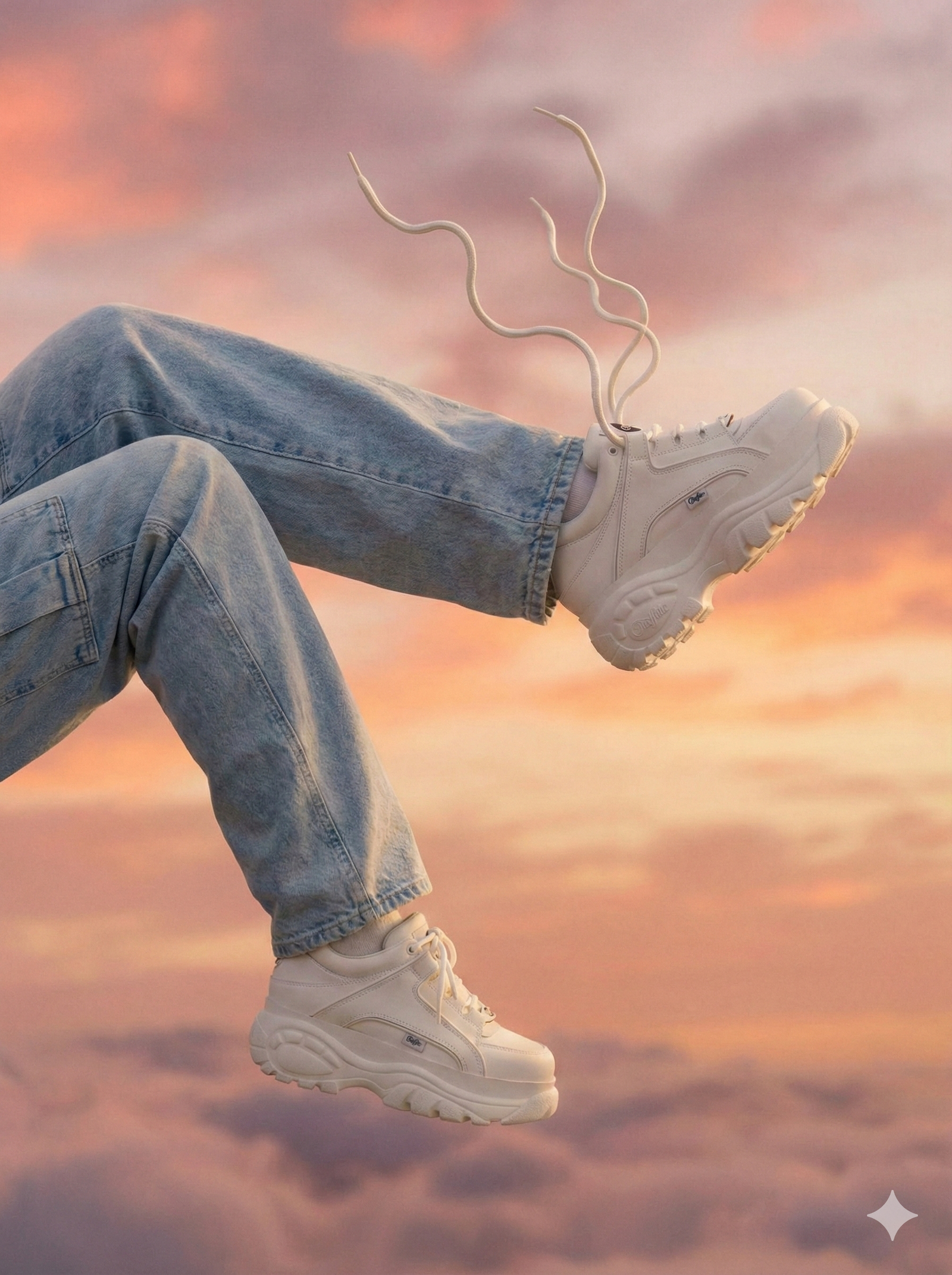
Need a close up shot of one shoe on the leg and the lace of the shoe are floating in the air and the other one as in the image itself, without changing the camera angle.
Purpose: Adds cinematic detail storytelling. The floating shoelaces emphasize the zero-gravity effect and draw attention to outfit details.
Result Example:
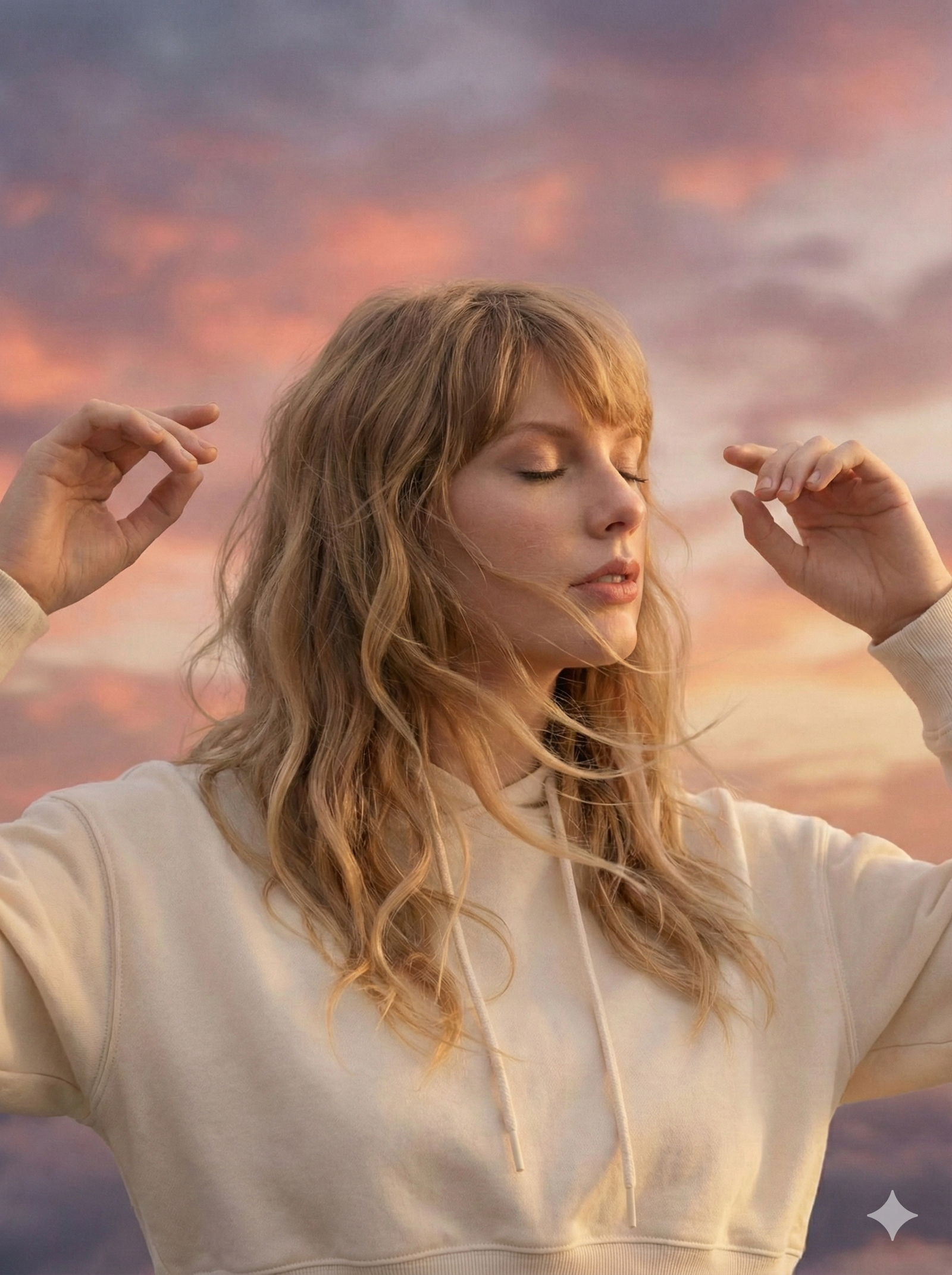
Prompt 4: Face and Hands Close-Up
Upload: The image generated from Prompt 1 as reference
Prompt:
Need a close up shot of the face and the woman’s hands are floating in the air. Hair gently drifting around her face.
Purpose: Creates an emotional connection with viewers through facial expression and adds dynamic movement with floating hands.
Result Example:
Prompt 5: Creative POV Shot (Optional Storytelling Element)
Upload: The image generated from Prompt 4 as reference
Prompt:
Need a POV shot of the woman looking at a paper, and on the paper it should be written “Content Creator”.
Purpose: Adds narrative depth or personal branding. Replace “Content Creator” with your own message, brand name, or creative text.
Result Example:

Video Animation Prompts (Using Kling Video)
Once you have your images, animate them using these configurations:
Video 1: Main Falling Sequence
- Start Frame: Prompt 2 image (wide shot, tiny in sky)
- End Frame: Prompt 1 image (full-body floating shot)
- Video Prompt:
The woman is falling through the sky from very far away, getting closer to camera. Smooth zoom transition, cinematic motion, soft cloud movement, maintaining sunset colors and peaceful expression. Hair flowing naturally.
Video 2: Floating Detail Shots
- Start Frame: Prompt 3 or 4 images
- End Frame: Leave blank (single frame animation)
- Video Prompt:
The woman is floating and the hands are also floating in the air slowly. Camera rotates around the subject. Gentle zero-gravity movement, shoelaces and hair drifting softly, warm sunset lighting maintained throughout.
Video 3: Creative POV (If using Prompt 5)
- Start Frame: Prompt 5 image
- End Frame: Leave blank
- Video Prompt:
Slow camera push-in on the paper with text visible. Subject’s eyes move to look at camera. Subtle floating motion continues, paper gently drifts in air. Hair moves softly in the breeze.
Pro Tips for These Prompts
Consistency Is Key: Always upload the Prompt 1 result as reference for subsequent prompts. This maintains character consistency across all angles.
Customize the Details:
- Change “Content Creator” to your own message
- Adjust clothing style to match your aesthetic
- Modify hair description to match your appearance (long, short, curly, straight, etc.)
- Add accessories like jewelry, scarves, or bags
Image Quality Settings: Use the highest quality settings available in your AI tool. For Media.io, select “Nano Banana Pro” for best detail preservation.
Generation Order: Follow the exact sequence (1→2→3→4→5). Each prompt builds on previous results for maximum consistency.
Tips for Best Results
Image Quality Matters: Use high-resolution source photos with good lighting. Clear facial features and outfit details translate better through AI processing.
Prompt Precision: When generating images, specify “horizontal floating pose,” “sunset clouds,” and “cinematic color grading” for more consistent results.
Try Multiple Generations: AI results vary. Generate 2-3 versions and select the one with the smoothest motion and best character consistency.
Keep Outfits Simple: Complex patterns or very loose clothing may render inconsistently. Solid colors and fitted garments work best.
Popular Variations
- Outfit Reveals: Start in casual clothes, reveal formal wear in the close-up
- Couple Falls: Two people falling together through clouds
- Product Placement: Feature branded items during the freeze moment
- Humor Edits: Add unexpected props or facial expressions
Common Issues and Solutions
Subject looks distorted: Regenerate with a clearer source photo or adjust your prompt to emphasize “maintain facial features and body proportions.”
Motion feels choppy: Use AI models specifically designed for start/end frame animation. Kling and Veo models typically produce smoother results.
Clouds look unrealistic: Add descriptors like “soft atmospheric clouds,” “golden hour lighting,” and “cinematic haze” to your prompts.
Why It’s Trending Now
AI video generation tools reached a tipping point in late 2025 and early 2026, making effects that previously required professional editing accessible to anyone. The Sky Falling trend specifically benefits from improved AI motion consistency and character preservation, which earlier models struggled with.
Creating Your First Sky Fall Video
Most platforms offer free credits upon signup, making it easy to test the effect before committing to a paid plan. The entire process from photo upload to finished video takes about 10 minutes once you understand the workflow.
The key to viral success isn’t just the effect itself, it’s how you customize it. The most shared videos add personality through creative poses, unexpected outfit changes, or clever transitions that surprise viewers.
You Might Also Like